
Placement
Placement-cell workflow: from roster import to assessment results
The Campus path is departments, roster, groups, paper, invite, review. Skip a step and the results meeting becomes another spreadsheet.

Placement software earns its keep on the morning results are due. If the TPO can open a cohort, filter a group, and look at a student’s answers without exporting five files, the season is under control.
Edgeryt Campus connects that path on purpose.
The workflow
- Departments and faculty — structure.
- Import students — identity.
- Groups — who sits this paper.
- Question bank — what they sit.
- Assessment setup — sections, scoring, proctoring, mobile policy.
- Invite — codes or messages students can actually receive.
- Results — cohort plus individual evidence.
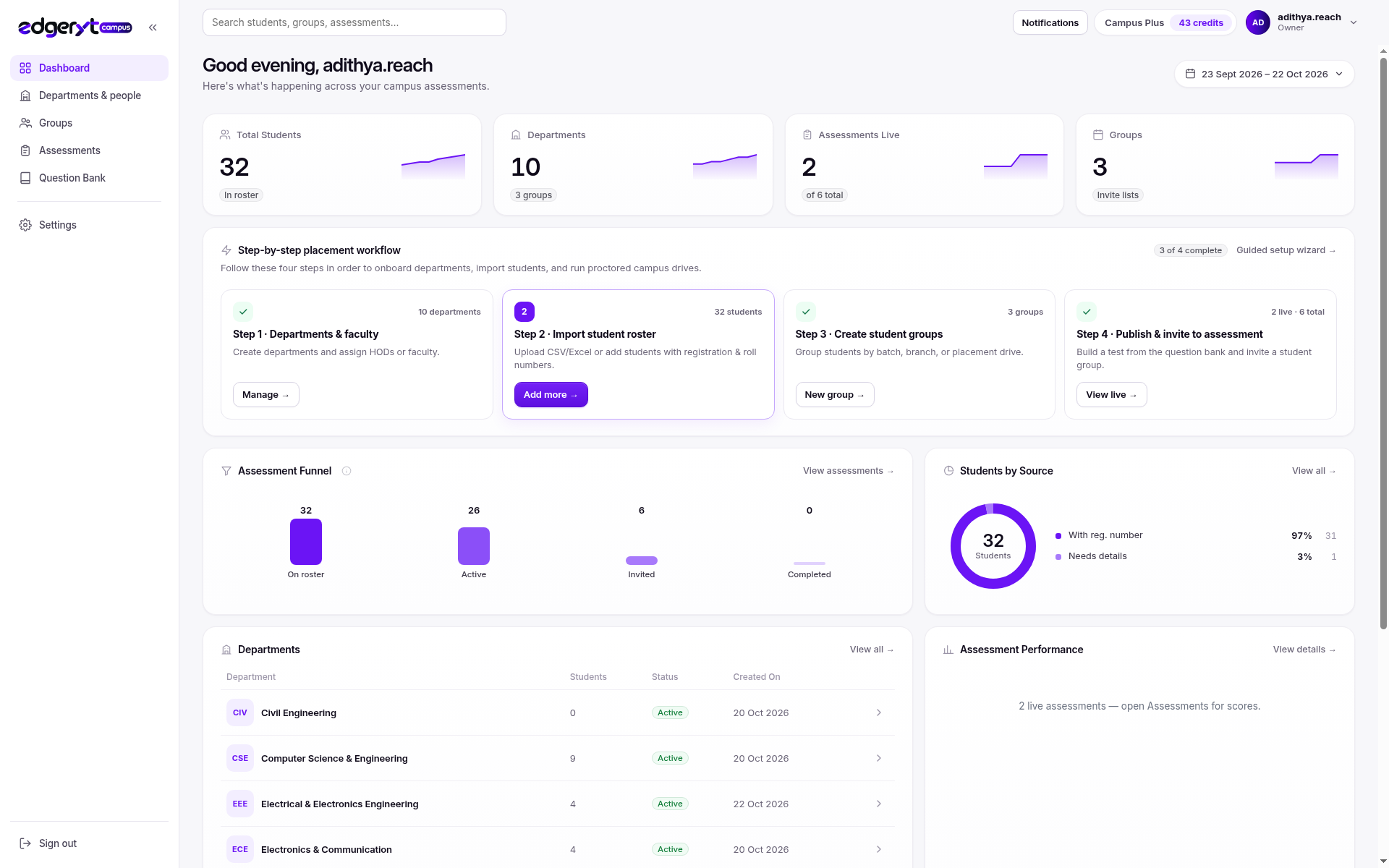
This matches the product’s own setup sequence. Skipping to “publish a test” with a dirty sheet produces support load you will feel during company week.
Related: placement drives, readiness, import.
Reading results
Look at completion first (invited vs attempted vs submitted). Then section scores. Then a sample of answers. Integrity flags are a queue, not a ranking.
Keep faculty in the review if the paper is theirs. Placement cells should not be the only people staring at a coding distribution they did not author.
How Edgeryt Campus holds the evidence
Student profiles and assessment results stay together. Drives use that readiness picture. Mobile attempts for compatible formats still land on the same student as a lab coding sitting, as long as identity was correct at import.
Adjacent area: exporting for companies
If a recruiter wants a list, export from the group that sat their eligibility rules. Do not send the whole college roster “to be safe.”
Questions teams ask
Can we re-open a test for absentees?
Plan a second sitting with the same version or a declared equivalent. Silent extra time for a few names is how grievances start.
What if results look wrong?
Sit the paper yourself, check keys and coding tests, then decide. Do not mass-adjust marks without a version note.
Is this the same as Edgeryt Hire?
No. See Hire versus Campus.