
Placement
How colleges run a placement drive without losing the roster
A placement drive is a roster, a readiness picture, an assessment, and a company week. Keep those in one institutional workspace so TPOs are not rebuilding lists in Excel the night before.

Placement season still starts in spreadsheets: one sheet per department, another for eligible CGPA, a third for who sat the mock. When a company asks for a shortlist at 6 p.m., the placement cell rebuilds the list from memory.
Campus placement software is useful when it preserves the student as a single record from import through assessment to the drive.
What a placement cell actually operates
A drive is not only “invite a company.” It is:
- Departments and faculty ownership
- A roster that matches the registrar more than last year’s WhatsApp group
- Groups (batch, branch, or company shortlist)
- Internal assessments that measure readiness
- Invitations and completion
- A story you can show a visiting recruiter: who is eligible, who attempted, who is ready
Edgeryt Campus is campus placement management software for colleges and universities. It connects student readiness, institutional assessments, and placement drives.
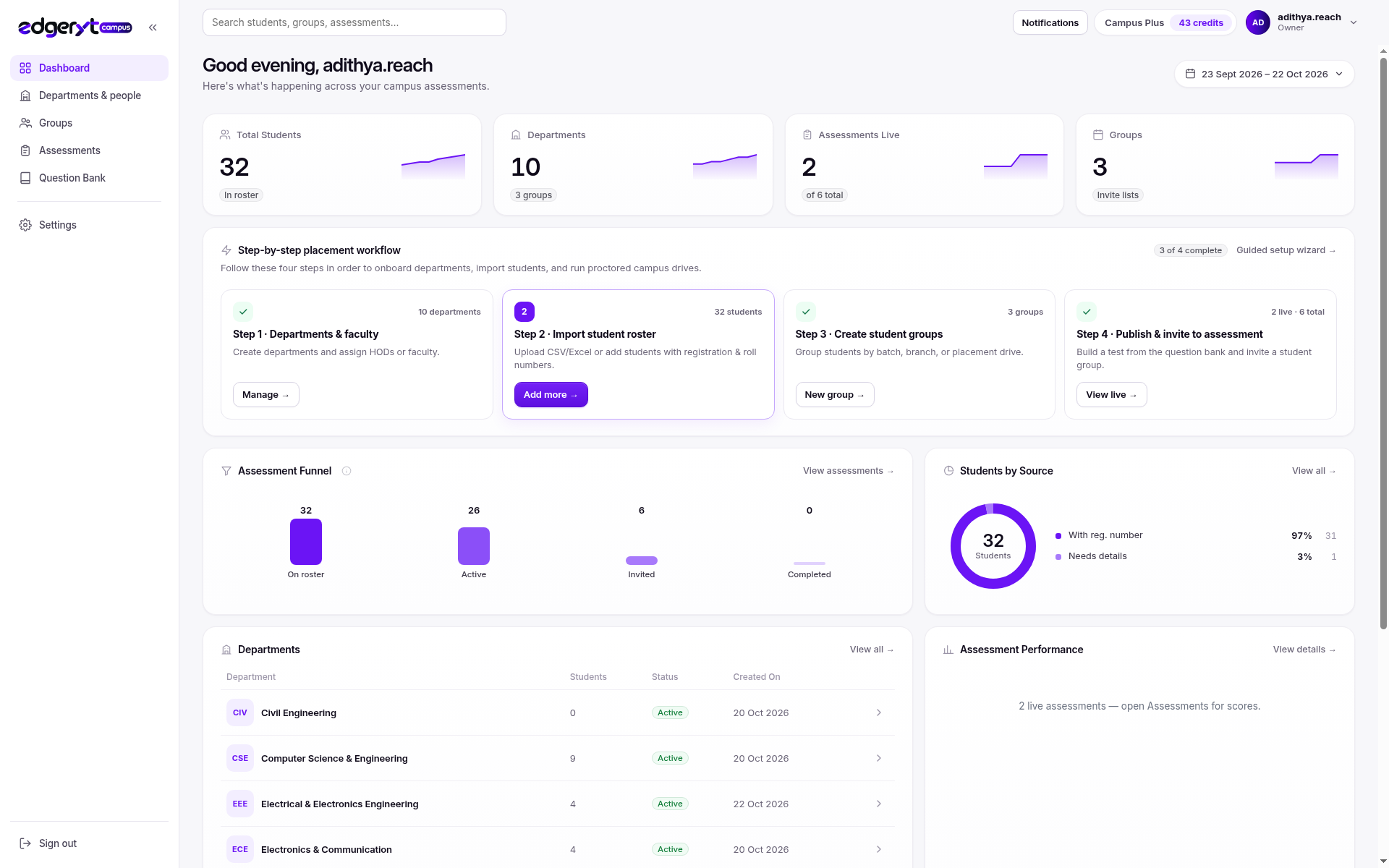
A sequence that matches how TPOs already work
- Departments and faculty. Create the academic structure before you import people.
- Import the roster. Excel or CSV, then fix rows that fail validation.
- Groups. Batch, branch, or drive-specific lists so you are not inviting the entire college to every paper.
- Assessment. Multi-section tests from faculty banks, with timing and scoring you can explain.
- Review. Cohort results and individual responses, including integrity evidence when you configured it.
- Drive. Use that readiness picture when companies arrive.
Related: roster import, roster to results, departments and groups.
How Edgeryt Campus differs from hiring software
Companies recruiting those students use Edgeryt Hire. Campus is the institution workspace: students you already enrolled, faculty content, placement operations. Do not run a company hiring pipeline inside the college login, or a college roster inside a recruiter workspace.
See Hire versus Campus.
Adjacent area: mocks vs the company paper
Internal mocks should be harder or equal to what visiting companies run, but they should not leak. Version the assessment, limit faculty export, and treat a placement mock as a real exam if the score will be shown to a company.
Questions teams ask
Can we import last year’s Excel as-is?
Usually not. Normalise headers, one student per row, and validate before the drive. The import article walks through the failure modes.
Do students need accounts before the test?
Students can join compatible assessments by code on mobile when you enable mobile delivery. Coding still needs a computer.
Is every feature on every plan?
No. Feature access depends on the Campus plan. AI written marking, for example, requires an eligible plan. Ask for a demo to confirm your institution’s setup.
Next step
Read the Campus overview or request a demo.