
Operations
Departments and groups for placement cells
Departments hold the academic structure. Groups hold the people you will invite this week. Mixing the two is how the wrong branch sits the right paper.
A college is not a flat list of emails. Civil, CSE, ECE, and MBA need different papers, different companies, and different faculty owners. Placement software has to model that, or coordinators will rebuild it in Excel.
Edgeryt Campus lets you organise departments and student groups, import rosters, and keep profiles with results.
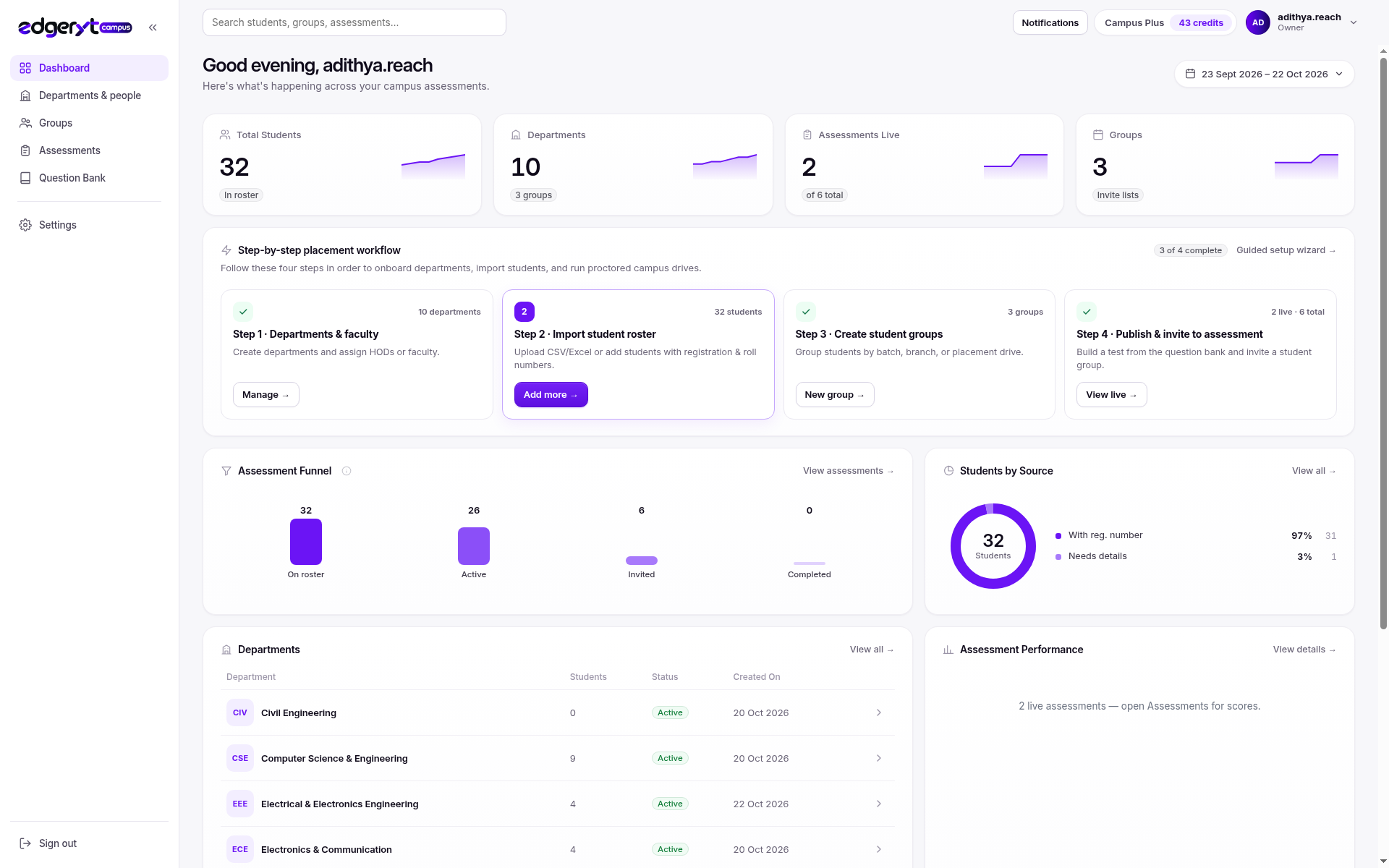
Departments vs groups
Departments are stable: faculty, HOD, the registrar’s names.
Groups are operational: “CSE 2027 placement batch”, “Company X shortlist”, “aptitude mock 2”.
Invite groups. Report by department. If you invite a department to every mock, you will over-test people who are not in that drive.
Related: roster import, placement drives.
A clean setup week
- Create departments with names you will still use in offers season.
- Import students into those departments.
- Build groups for the first mock.
- Attach assessments to groups, not to “everyone”.
- Reuse groups when the company week starts, or clone with a clear name.
How Edgeryt Campus uses this
Placement activity is organised with visibility into students and their readiness, connecting faculty and placement teams. Groups are how invitations stay targeted. Assessments keep their own scoring and proctoring.
Adjacent area: overlapping membership
Students sit in one department and many groups. That is expected. What is not expected is two departments for the same branch. Deduplicate structure first.
Questions teams ask
Can faculty see only their department?
Use institutional roles and a demo to confirm the access model you need. Do not assume every staff login sees every student.
Should we create a group per company?
Yes when shortlists differ. No when every eligible student is in the same drive.
Can we rename a department mid-year?
You can, but you will confuse historical reports. Prefer stable names.